
Service Search
Your scanner has built-in, factory-set frequency ranges for common radio services. Service Search sweeps those ranges without you programming any channels.
On a BC75XLT, Bearpaw can't switch these on and off. The radio has service search (it's the Svc key on the keypad), but it accepts no command for choosing which services are included, and it refuses changes to its search settings. So the whole Service Search section is missing from the Device tab. Pick your services on the radio itself.
The service list differs there too: WX (weather) leads it, and there is no Military Air.
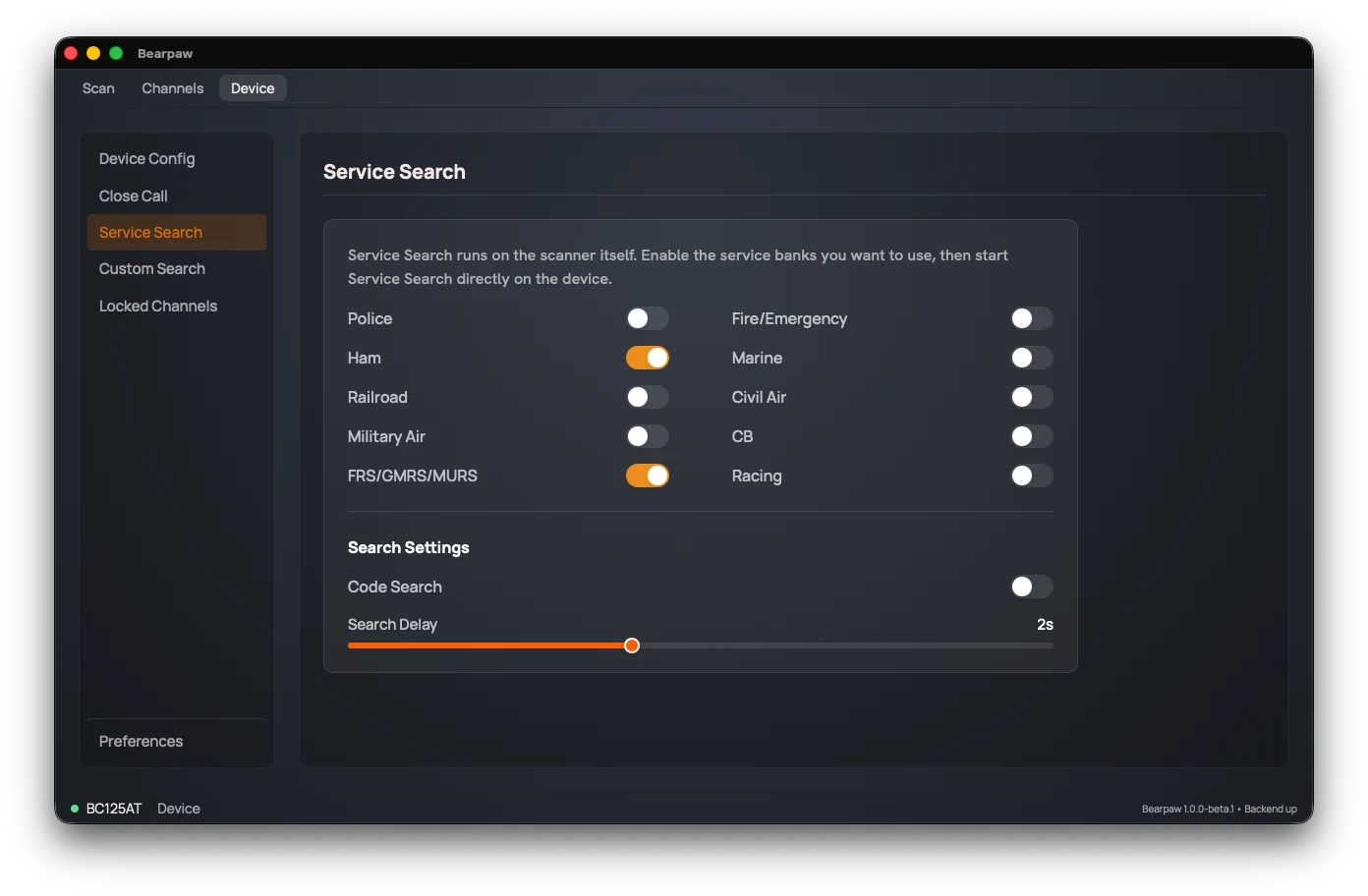
The search runs on the radio. Each switch is written to the scanner as soon as you flip it, and each write leaves the scanner in Hold. Press Func, then Srch, on the radio to start searching with your new settings.
One on/off switch per service. The BC125AT, BCT125AT, and AE125H have ten: Police, Fire/Emergency, Ham, Marine, Railroad, Civil Air, Military Air, CB, FRS/GMRS/MURS, Racing. The European UBC125XLT and UBC126AT have seven: Emergency, Freenet, PMR, Marine, Aircraft, CB Radio, HAM Radio.
Search settings
Below the service switches are two search settings:
- Code Search: also decode CTCSS/DCS tones on the signals it finds.
- Search Delay: 0 to 5 seconds. How long the scanner pauses on a found signal after it stops, before resuming.
Did this help? Your support keeps me building Bearpaw and buys the scanners it learns to work with next. Support Bearpaw