Readable across the room
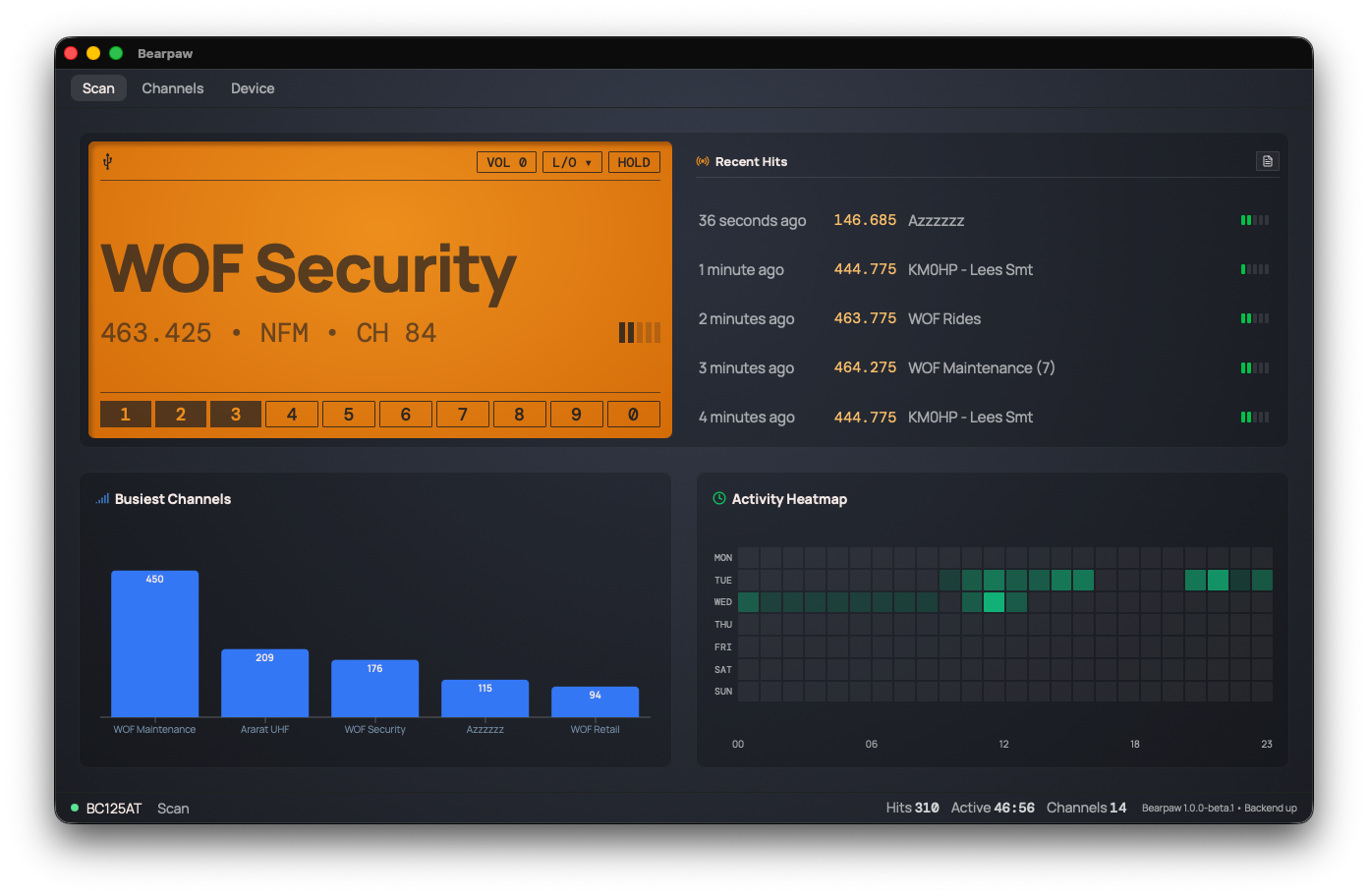
Everything from the scanner display, big enough to read from across the room. No more tiny LCD.
 Bearpaw
You listen. Bearpaw listens with you, keeping track of everything your scanner picks up and showing you the patterns as they build. Download a CSV if you want to dive deeper into the area's radio activity.
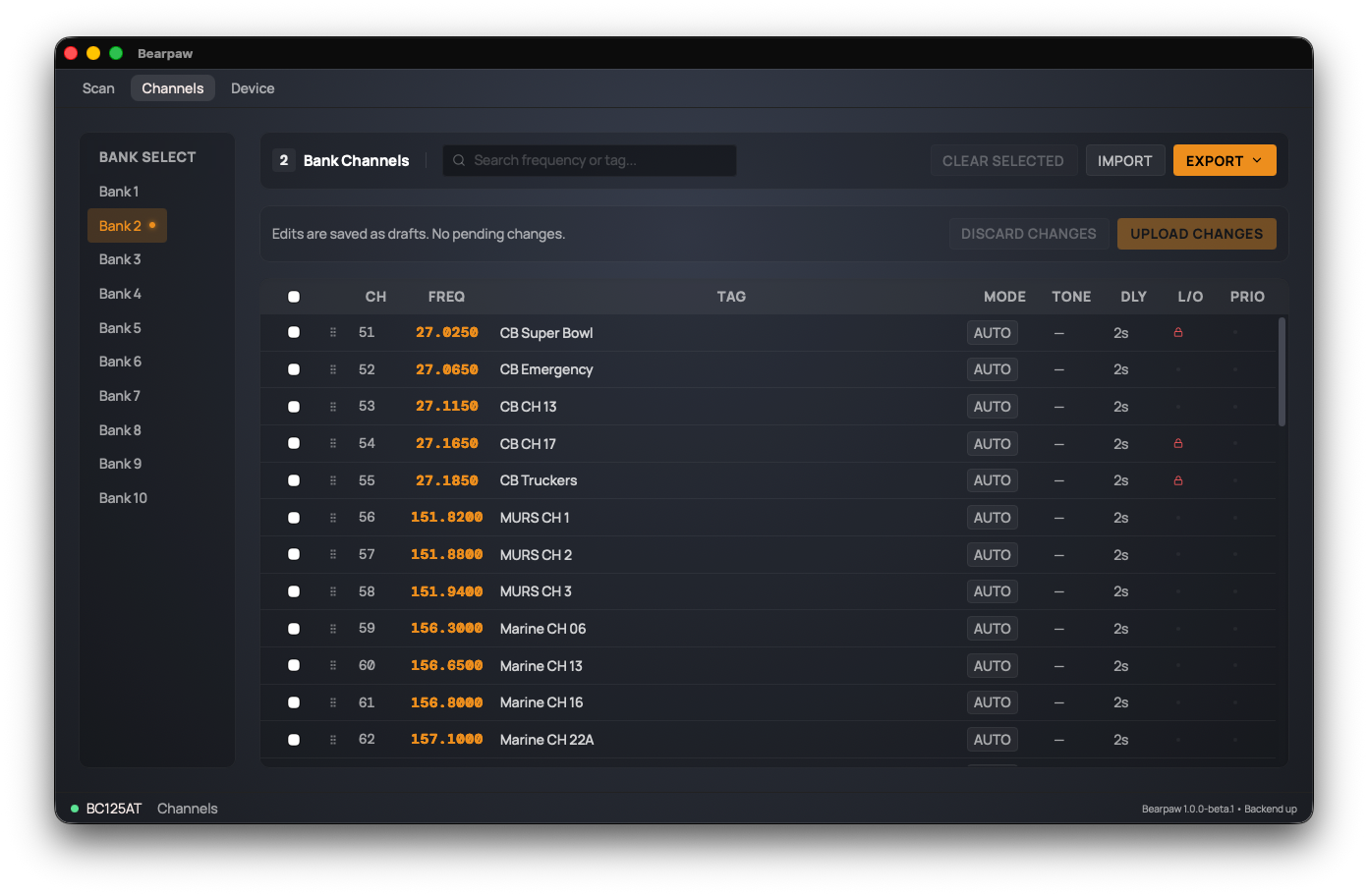
The BC125AT's own software is Windows-only. Bearpaw does the same job on Mac, Windows, and Linux: edit all 500 channels, banks, tones, and lockouts, then upload the lot to the radio.
Import and export as CSV or native Uniden files, so you can use legacy backup files.
Bearpaw is great! I was actually going to buy a cheapie used PC laptop JUST to add/edit channel to my BC125AT (as I only have macs). Lifesaver app! Thank you.
I use the BC125AT to monitor fire frequencies while working as a photojournalist covering wildfires in California… Bearpaw finally allows me to make changes to the scanner easily in the field.
You fixed the worst part of my Bearcat. Thanks!
I recently purchased my BC125AT and as a Mac user was wondering how I was going to program it. I was ecstatic when I came across Bearpaw.
Everything from the scanner display, big enough to read from across the room. No more tiny LCD.
The scanner's own settings at your fingertips without all the button pressing.
Bearpaw gives you a visual of radio activity. You can also download the log and do your own thing.
Bearpaw drives conventional analog Uniden handhelds. It detects which one you have and adapts — channel count, bank size, and which controls appear all follow the radio that's plugged in.
Expected means the scanner is in the same family and Bearpaw recognizes it, but nobody has run it against the real radio yet. Have one? Tell us how it went — that’s how the UBC125XLT became Verified.
Trunking scanners aren’t supported. The BC346XT, BCD396XT, BCD996XT and the rest of the TrunkTracker line organize memory as systems and sites rather than 500 flat channels — a different protocol, not a small addition. Bearpaw tells you by name when it meets a scanner it can’t drive.
Fetching the latest release…
Thanks for downloading.
Your support keeps me building Bearpaw and buys the scanners it learns to work with next.
Requirements: macOS 10.15 or later with Safari 15.4 or later; Windows 10 or later (64-bit); or Ubuntu 22.04, Linux Mint 21, Debian 12, or newer.
These builds aren't code-signed yet, so your computer flags them the first time you open the app:
xattr -cr /Applications/Bearpaw.app once in
Terminal.
chmod +x the AppImage and
run it, or install the .deb.