
Custom Search
Custom Search sweeps frequency ranges you define yourself. The scanner supports 10 custom ranges, and the header shows how many are active ("N of 10 active").
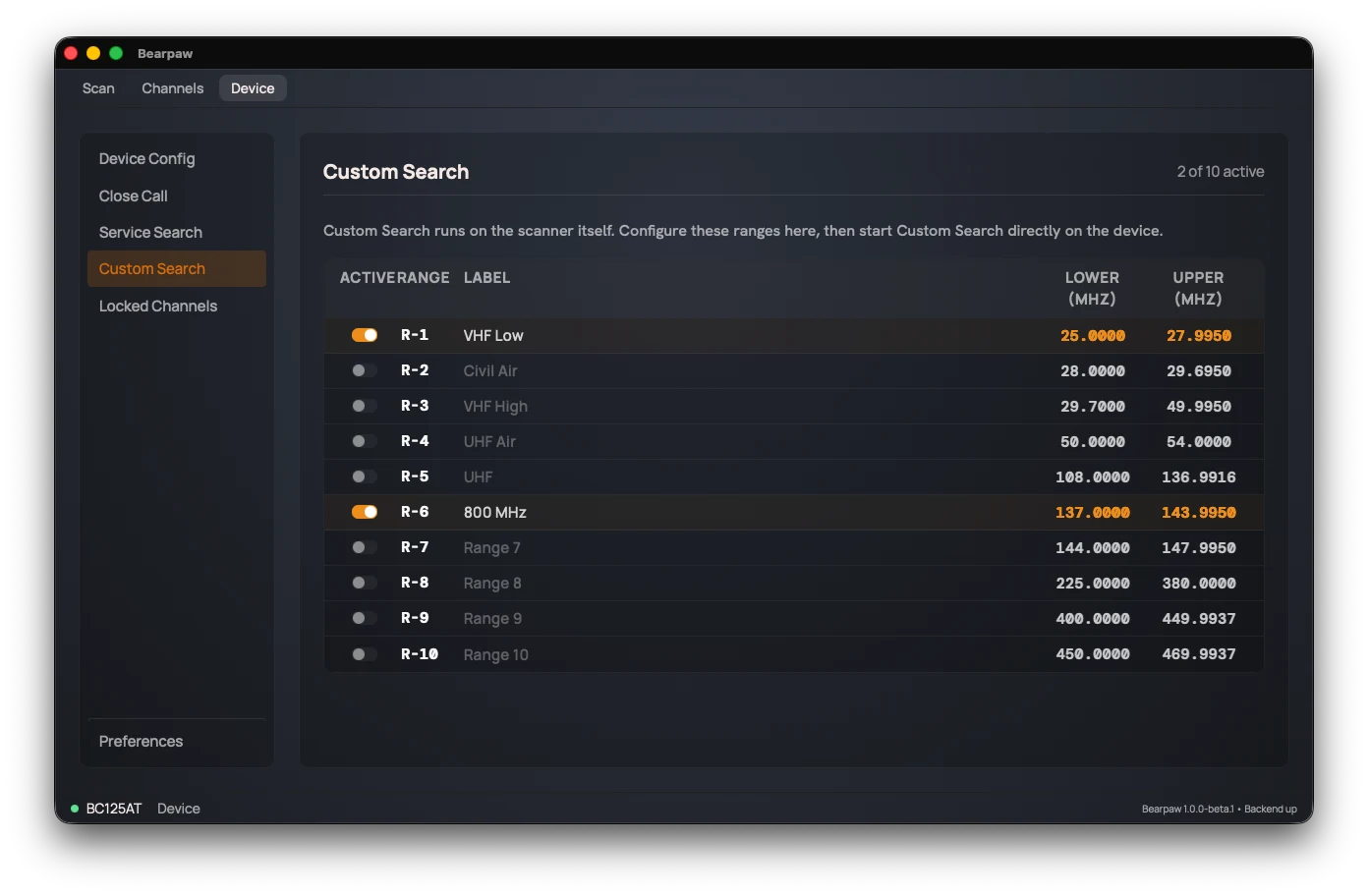
Set the ranges here, then start the search on the radio.
Each of the ten rows has:
- An Active switch to include that range in the sweep.
- A Range label (R-1 through R-10) identifying the slot.
- Lower (MHz) and Upper (MHz), the start and end of the range.
Ranges can't be named. The scanner has no place to keep a name, so they stay R-1 through R-10.
To set one up, click its row. In Edit Search Range, enter a Lower and an Upper frequency and click Save. Then turn on the row's Active switch. Each change is written to the scanner right away and leaves it in Hold, so press Srch on the radio when you're done.
Did this help? Your support keeps me building Bearpaw and buys the scanners it learns to work with next. Support Bearpaw