Close Call
Close Call is Uniden's nearby-strong-signal detector. It listens for a strong transmission from a radio physically close to you, like a handheld at an event, and jumps to that frequency automatically, even if it isn't in any of your channels.
Changes here apply to the scanner immediately — the app writes them in programming mode, and live scanning pauses while it does. A failed write shows a red error message.
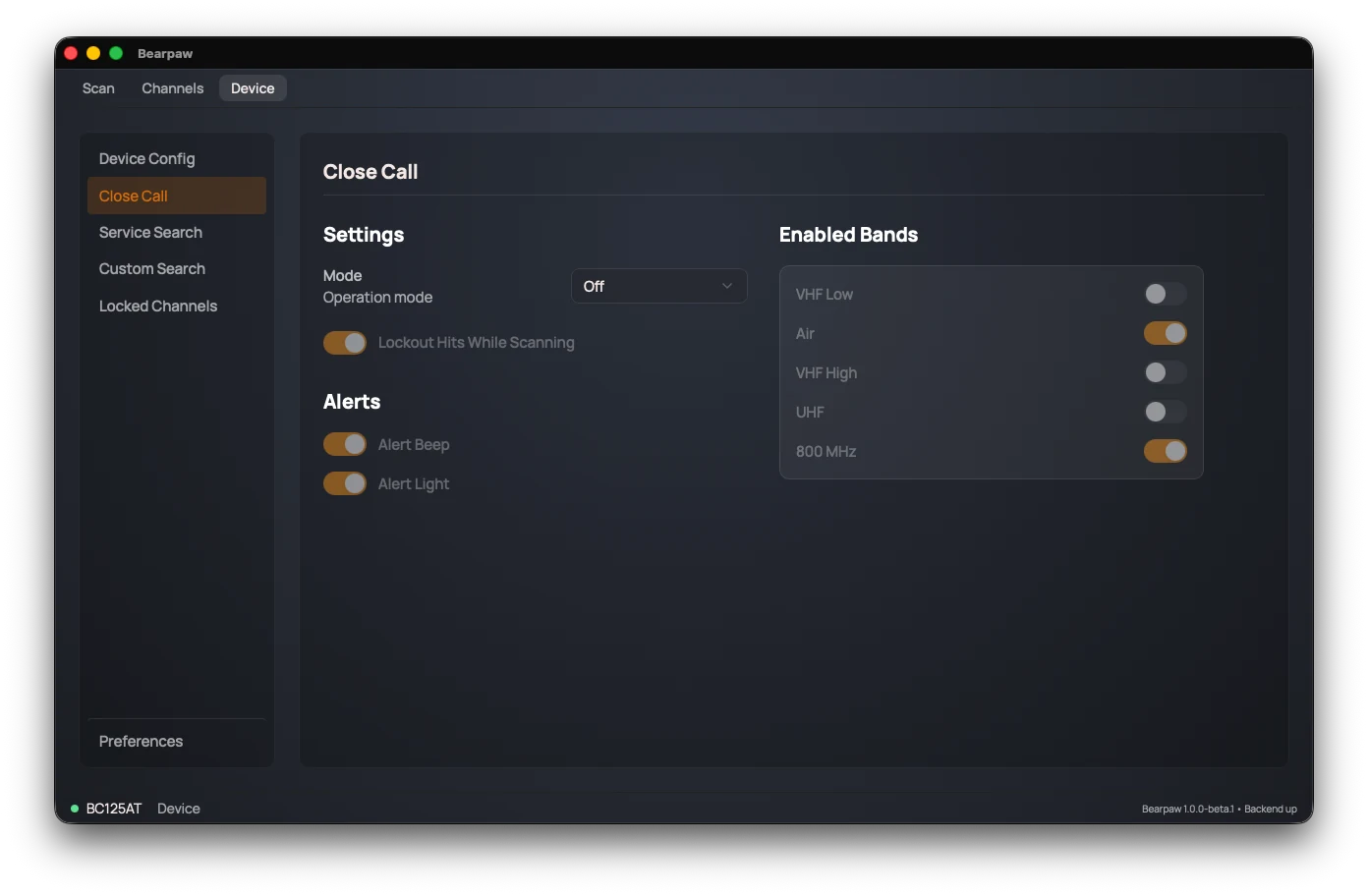
Mode
Mode is the master switch, with four settings:
- Off: Close Call disabled.
- CC DND ("Do Not Disturb"): only checks between your normal scanning, so it won't interrupt what you're already listening to.
- CC Priority: checks continuously, interrupting other activity to catch close calls the moment they happen.
- CC Only: listens for close calls and nothing else — normal scanning stops entirely. Useful when you only care about nearby transmitters, but you won't hear your programmed channels while it's on.
When Mode is Off, every other Close Call setting on the page is greyed out.
Other settings
With a mode active, you can also set:
- Lockout Hits While Scanning: automatically skip a frequency Close Call finds, so it doesn't keep re-triggering on the same one.
- Alert Beep: beep when a close call is detected.
- Alert Light: flash the scanner's backlight when one is detected.
- Enabled Bands: one switch per radio band Close Call watches. Turning off bands you don't care about makes it faster and reduces false hits.
On a BC75XLT
Two differences, both worth knowing before you go looking:
- Four band switches instead of five. A BC75XLT watches VHF Low, Air, VHF High, and UHF. It has no 800 MHz band, which a BC125AT-family scanner adds as a fifth.
- Lockout Hits While Scanning doesn't appear. That radio has no command for it, so Bearpaw hides the toggle rather than showing you a switch it can't set.
Did this help? Your support keeps me building Bearpaw and buys the scanners it learns to work with next. Support Bearpaw